

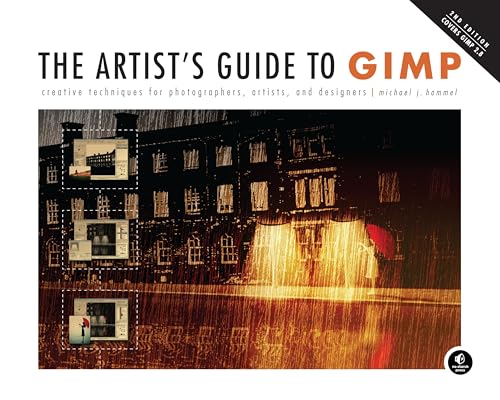
The artist's guide to GIMP effects : creative techniques for photographers, artists, and designers, 2nd edition/ [electronic resource] / Michael J. Hammel.
Call Number: Ebook Material type: TextLanguage: English Publication details: No Starch Press, Inc., 2012.Description: 324 pISBN:
 - 1593274149
- 9781593274146
- 9781593271213
Chapter, Lesson, Part 1: Fundamental Techniques.
Chapter, Lesson, Part 1.1 Drawing and Painting.
Chapter, Lesson, Part 1.2 Layers and Modes.
Chapter, Lesson, Part 1.3 Color Modes.
Chapter, Lesson, Part 1.4 Selections.
Chapter, Lesson, Part 1.5 Paths.
Chapter, Lesson, Part 1.6 Drawing Basic Shapes.
Chapter, Lesson, Part 1.7 Patterns and Gradients.
Chapter, Lesson, Part 1.8 Working with Text.
Chapter, Lesson, Part 1.9 Digital Cameras.
Chapter, Lesson, Part 1.10 Basic Tutorials.
Chapter, Lesson, Part 2: Photographic Effects.
Chapter, Lesson, Part 2.1 Soft Focus.
Chapter, Lesson, Part 2.2 Photo to Sketch.
Chapter, Lesson, Part 2.3 Antiquing with Sepia Tones.
Chapter, Lesson, Part 2.4 Color Swap.
Chapter, Lesson, Part 2.5 Changing Depth of Field.
Chapter, Lesson, Part 2.6 Reflections on Glass.
Chapter, Lesson, Part 2.7 Lake Reflection.
Chapter, Lesson, Part 2.8 Photo Restoration.
Chapter, Lesson, Part 2.9 Casting Light Through a Window.
Chapter, Lesson, Part 2.10 Light Streaks.
Chapter, Lesson, Part 2.11 Miniaturizing a Scene.
Chapter, Lesson, Part Tips for Photographic Effects.
Chapter, Lesson, Part 3: Web Design.
Chapter, Lesson, Part Working in a Native Medium; GIMP Tools for Web Design.
Chapter, Lesson, Part 3.1 Gel Buttons.
Chapter, Lesson, Part 3.2 Metal Buttons.
Chapter, Lesson, Part 3.3 Tabs.
Chapter, Lesson, Part 3.4 Website Banners.
Chapter, Lesson, Part 3.5 Simple Logos.
Chapter, Lesson, Part 3.6 Icons.
Chapter, Lesson, Part Tips for Web Design.
Chapter, Lesson, Part 4: Advertising and Special Effects; Print vs. Web.
Chapter, Lesson, Part 4.1 Creative Text Design.
Chapter, Lesson, Part 4.2 3-D Package Designs.
Chapter, Lesson, Part 4.3 Reflective Glass.
Chapter, Lesson, Part 4.4 Popping an Image.
Chapter, Lesson, Part 4.5 Shiny Emblem.
Chapter, Lesson, Part 4.6 Wine Bottle.
Chapter, Lesson, Part 4.7 Gears.
Chapter, Lesson, Part 4.8 Cube City.
Chapter, Lesson, Part 4.9 Underwater.
Chapter, Lesson, Part 4.10 Colored Lighting.
Chapter, Lesson, Part 4.11 iPod.
Chapter, Lesson, Part Tips for Advertising and Special Effects.
Chapter, Lesson, Part 5: Type Effects.
Chapter, Lesson, Part 5.1 Chrome and Metal Text.
Chapter, Lesson, Part 5.2 Gel Type.
Chapter, Lesson, Part 5.3 Distressed Text.
Chapter, Lesson, Part 5.4 Frost.
Chapter, Lesson, Part 5.5 Neon Signs.
Chapter, Lesson, Part 5.6 Spray Paint.
Chapter, Lesson, Part Tips for Type Effects.
Chapter, Lesson, Part 6: Creative Inspiration.
Chapter, Lesson, Part 6.1 Fire Girl.
Chapter, Lesson, Part 6.2 Star Field.
Chapter, Lesson, Part 6.3 Creamsicle Love.
Chapter, Lesson, Part 6.4 Mobsterville.
Cover, Title,The artist's guide to GIMP effects : creative techniques for photographers, artists, and designers, 2nd edition--Preface, Introduction, TOC,About the Author ; About the Technical Reviewer--Preface, Introduction, TOC,Brief Contents--Preface, Introduction, TOC,Contents in Detail--Preface, Introduction, TOC,Acknowledgments--Preface, Introduction, TOC,Introduction--References, Appendix, Index,Index.
There are no comments on this title.


