
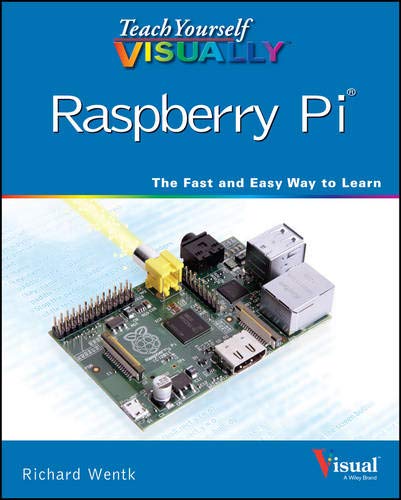
Amazon cover image
Image from Amazon.com

Teach Yourself VISUALLY™ Raspberry Pi® [electronic resource] / Wentk, Richard.

By: Call Number: Ebook Material type: TextLanguage: English Publication details: WILEY, 2014.Description: 322 pISBN:
  • 9781118768273
Subject(s): Online resources:
Contents:
Chapter, Lesson, Part Chapter 1: Getting Started with Raspberry Pi.
Chapter, Lesson, Part Chapter 2: Selecting an Operating System.
Chapter, Lesson, Part Chapter 3: Setting Up Raspbian.
Chapter, Lesson, Part Chapter 4: Working with Applications.
Chapter, Lesson, Part Chapter 5: Working with the Command Line.
Chapter, Lesson, Part Chapter 6: Understanding Advanced Commands.
Chapter, Lesson, Part Chapter 7: Networking Raspberry Pi.
Chapter, Lesson, Part Chapter 8: Getting Started with Sound and Video.
Chapter, Lesson, Part Chapter 9: Programming with Scratch.
Chapter, Lesson, Part Chapter 10: Getting Started with Python.
Chapter, Lesson, Part Chapter 11: Organizing Information with Python.
Chapter, Lesson, Part Chapter 12: Getting Started with Pygame.
Chapter, Lesson, Part Chapter 13: Creating Graphics with Pygame.
Chapter, Lesson, Part Chapter 14: Adding Custom Hardware.
Cover, Title,Teach Yourself VISUALLY™ Raspberry Pi®--Preface, Introduction, TOC,Table of Contents--Preface, Introduction, TOC,About the Author; Author's Acknowledgments--References, Appendix, Index,Index.
Star ratings
    Average rating: 0.0 (0 votes)
No physical items for this record

Chapter, Lesson, Part Chapter 1: Getting Started with Raspberry Pi.

Chapter, Lesson, Part Chapter 2: Selecting an Operating System.

Chapter, Lesson, Part Chapter 3: Setting Up Raspbian.

Chapter, Lesson, Part Chapter 4: Working with Applications.

Chapter, Lesson, Part Chapter 5: Working with the Command Line.

Chapter, Lesson, Part Chapter 6: Understanding Advanced Commands.

Chapter, Lesson, Part Chapter 7: Networking Raspberry Pi.

Chapter, Lesson, Part Chapter 8: Getting Started with Sound and Video.

Chapter, Lesson, Part Chapter 9: Programming with Scratch.

Chapter, Lesson, Part Chapter 10: Getting Started with Python.

Chapter, Lesson, Part Chapter 11: Organizing Information with Python.

Chapter, Lesson, Part Chapter 12: Getting Started with Pygame.

Chapter, Lesson, Part Chapter 13: Creating Graphics with Pygame.

Chapter, Lesson, Part Chapter 14: Adding Custom Hardware.

Cover, Title,Teach Yourself VISUALLY™ Raspberry Pi®--Preface, Introduction, TOC,Table of Contents--Preface, Introduction, TOC,About the Author; Author's Acknowledgments--References, Appendix, Index,Index.

There are no comments on this title.

to post a comment.
Share


Office of Academic Resources and Information Technology
      38 Moo. 8, Nawung Sub-District, Muang Phetchaburi District, Phetchaburi 76000 Thailand
    Tel: (032) 708609  Email: library_office@mail.pbru.ac.th